Selecting the optimal traffic source is a critical factor when working with iGaming offers. Consistent volumes, precise targeting, fast moderation, and transparent reporting directly influence testing speed and overall ROI.
Why HilltopAds? HilltopAds is a leading advertising network trusted by thousands of advertisers for its high-quality direct traffic, advanced optimization tools, and strong performance in gambling and betting verticals. When paired with 3SNET’s iGaming offers, it provides a reliable framework for testing, scaling campaigns, and generating consistent profits.
In this guide, you’ll learn:
- What 3SNET is and how it works
- How to integrate HilltopAds with 3SNET
- Which ad formats deliver the best results
- How to set up tracking links and postbacks
- Which 3SNET offers perform well on HilltopAds traffic
About 3SNET
3SNET is a trusted CPA network with over 1,400 offers, focusing on iGaming verticals such as gambling and betting. The platform provides direct advertiser offers, smartlinks, and flexible tracking options, making it an excellent choice for affiliates working with performance-based traffic.
Why HilltopAds Works for iGaming
HilltopAds offers access to over 273 billion high-quality monthly impressions worldwide via 31,000+ direct publishers and premium iGaming audiences. With ready-made whitelists, AI-driven optimization, and advanced targeting, advertisers can achieve consistent results.
Popunder (Onclick) traffic on HilltopAds is particularly effective for iGaming campaigns, delivering strong visibility and stable engagement, suitable for both initial testing and scaling. High Activity traffic further allows advertisers to focus on users with a higher likelihood of completing registration and deposit flows.
With flexible targeting options (GEO, device, OS, browser, traffic quality), fast moderation, and real-time optimization tools, HilltopAds ensures clean testing and efficient campaign management. Combined with 3SNET’s iGaming offers, this setup helps affiliates quickly identify profitable GEOs and confidently scale campaigns.
Which 3SNET Offers Work Best on HilltopAds?
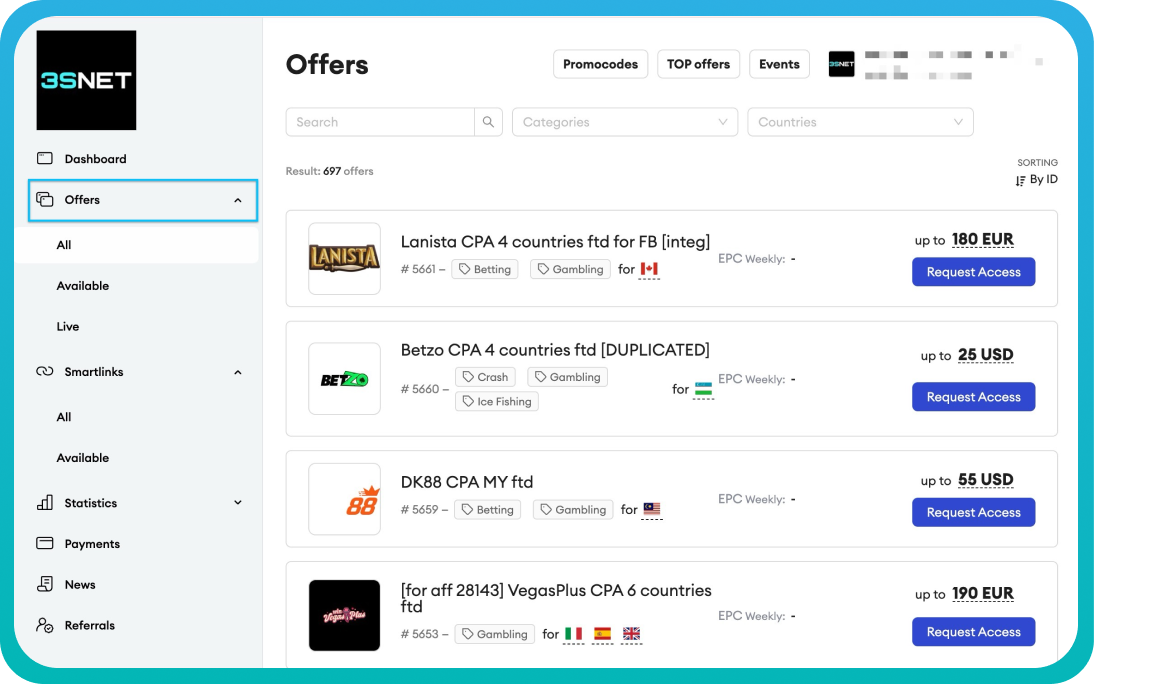
3SNET provides two promotion options: smartlinks and direct offers. Since smartlinks are not supported on HilltopAds, direct offers are the recommended choice. They are fully compatible with the platform and ideal for running effective campaigns.
Recommendations:
- For Popunder: SOI or short registration flows
- For In-Page: lightweight landers with simple CTAs
- Separate campaigns by GEO and device
Top Performing Offers for HilltopAds Traffic:
32 Countries CPA (Popunder / In-Page):
-
Melbet
Brazil CPA (Popunder / In-Page, FTD):
-
BetFury
LATAM 24 Countries CPA (Popunder / In-Page):
-
BetWinner Casino
South Africa CPA (Popunder / In-Page):
-
10bet Africa
31 Countries CPA (Popunder / In-Page):
-
BetWinner Casino
Mexico CPA (Popunder / In-Page):
-
Strendus
India CPA (Popunder / In-Page):
-
4rabet
Philippines CPA (Popunder / In-Page, FTD):
-
Wagibet
USA CPA (Popunder / In-Page):
-
Borgata
-
Cafe Casino
As with any digital marketing activity, results are not guaranteed. Performance may vary depending on GEO, targeting, creatives, and optimization approach.
Getting Started with HilltopAds + 3SNET
This step-by-step guide will walk you through the full process of integrating HilltopAds traffic with 3SNET iGaming offers. Follow each step carefully to ensure accurate tracking, correct postback setup, and a smooth start for your campaigns. Completing the steps in order will help you quickly identify profitable GEOs, launch campaigns efficiently, and optimize for maximum ROI.
Step 1: Register on HilltopAds and 3SNET
Before launching campaigns, make sure you have active accounts on both platforms.
HilltopAds
- Register as an advertiser at hilltopads.com
- Confirm your email address
- Access the dashboard to create and manage campaigns
3SNET
- Open 3snet.co and complete your profile (contact information, traffic sources, GEOs, verticals you are working with)
- Once registered, your account will be reviewed, after that, you’ll get access to offers
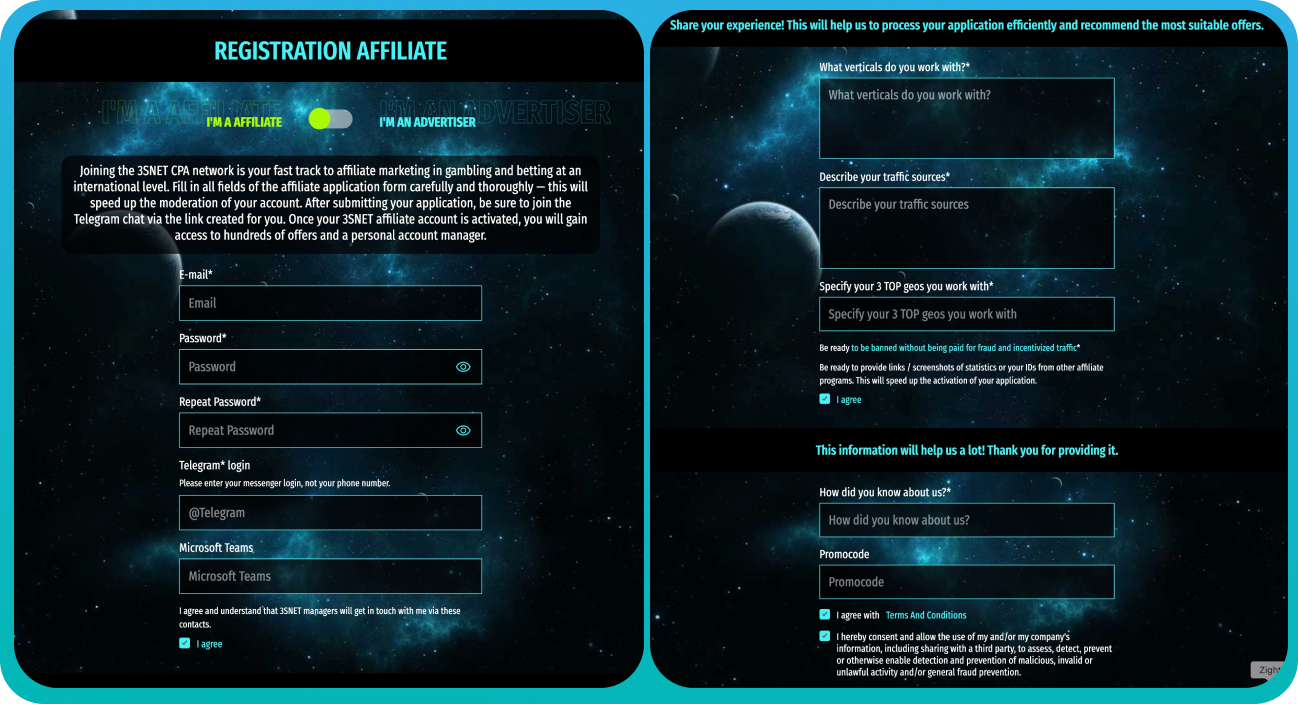
Once both accounts are active, you can use 3SNET tracking links directly in HilltopAds campaigns.
Step 2: Tracking Links and Postbacks
Creating Tracking Links
After selecting an offer, request a tracking link with tokens from your 3SNET manager (GEO, device, click ID).
In HilltopAds:
- Go to Create Campaign → Web
- Choose Popunder (recommended) or In-Page
- Paste the 3SNET tracking link into the Final Destination URL field
To ensure accurate tracking and optimization, use HilltopAds parameters that correspond to the original tokens in your 3SNET tracking link:
{{geo}}– country code{{adid}}– ad or banner ID{{zoneid}}– traffic source ID{{campaignid}}– campaign ID{{lang}}– visitor language{{category}}– Mainstream / Adult{{cpmbid}}– CPM bid{{price}}– impression or click price{{browsername}}– browser name
Required Postback Parameters
{{token}}– conversion ID{{price}}– conversion cost{{currency}}– conversion currency{{advertiserID}}– advertiser ID
Setting Up Postbacks in 3SNET
Postbacks must be configured individually for each offer and event:
- Registration
- Deposit
- Qualification
Important:
In most iGaming offers, qualification is the actual payable event (after the user completes wager requirements), not the first deposit.
Ensure sub1={{token}} is passed correctly. Test all events with your 3SNET manager to confirm proper tracking and postback functionality. On the HilltopAds side, set the postback URL as the Final Destination URL.
Basic Campaign Settings
- Ad Format: Popunder
- Type: CPM
- Traffic Channel: High Activity
- Campaign Name: Use a clear, descriptive structure, e.g.,
3SNET_BetWinner_US_Popunder_Desktop - Frequency Cap: Start with 1/24 or 4/24; higher caps may be applied for Eastern GEOs
Targeting:
- One GEO per campaign
- Separate Desktop and Mobile campaigns
- Avoid mixing GEOs during initial tests
- Match campaign language with the landing page language in 3SNET for higher relevance and conversion rates
- Technical targeting details are specified on each offer’s page
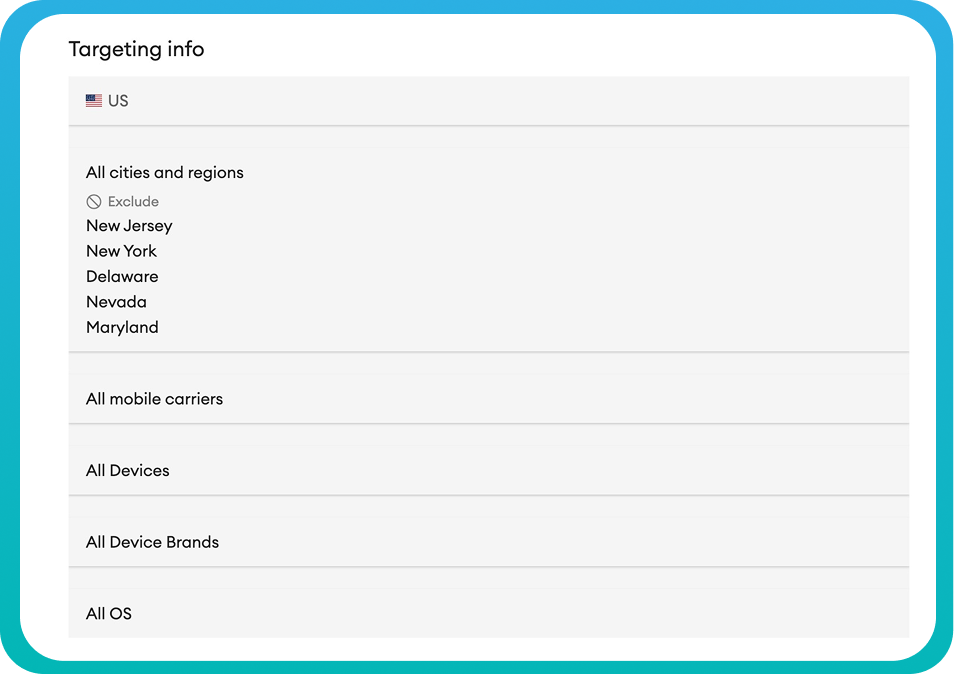
Always read offer terms carefully, especially GEO restrictions.
Budget & Limits
- Daily budget: ~$75-150
- Test budget per GEO: ~$3k-5k
Adjust budgets by GEO. Lower-deposit markets need less traffic, while higher-deposit markets require more volume to properly test and optimize. Enable Auto-Optimization once you collect initial data.
For a more detailed, step-by-step walkthrough of the campaign setup process, you can refer to our Help Center guide: Create Ad Campaigns
Exclusive Bonus for Initial Tests
HilltopAds provides a special promotion to support your first campaigns:
Apply promo code SNTIGMNG when depositing $200 or more to receive an additional 20% bonus, helping extend your testing budget and explore new GEOs more effectively.
Useful links:
- Join 3SNET and get access to 1,400+ iGaming offers
- Create an advertiser account on HilltopAds and access premium iGaming traffic