Consistent results in iGaming are achieved by those who choose the right traffic source for the specific vertical and GEO. The Popunder format in OctoClick is one of the few tools that delivers real volume at an affordable price without compromising on quality.
OctoClick is an international ad network with a volume of up to 100 million impressions per day. The platform works directly with publishers, offers flexible targeting, and provides a dedicated account manager to every advertiser.
In this guide, we’ll break down the entire 3SNET + OctoClick setup step by step:
- How to sign up and link your accounts;
- How to choose offers for OctoClick’s top GEOs;
- How to configure tracking and postbacks;
- How to launch a Popunder campaign and achieve consistent results.
Why OctoClick Popunder Works for Gambling and Betting
Low traffic cost. The Popunder format allows you to buy large volumes at an affordable price, especially in CIS, Tier 2, and Tier 3 GEOs. This makes it possible to scale your testing of offers and find winning approaches without a large upfront budget.
High volume of impressions. The format delivers tens of thousands of clicks within just a few hours, which significantly speeds up data collection and optimization.
High traffic quality. OctoClick works directly with websites, cutting out unnecessary intermediaries. This positively affects delivery stability and audience quality.
Flexible targeting and support. A wide range of targeting tools + a dedicated account manager who helps you launch and optimize campaigns.
Step 1. Registration and Account Connection
Registration in OctoClick
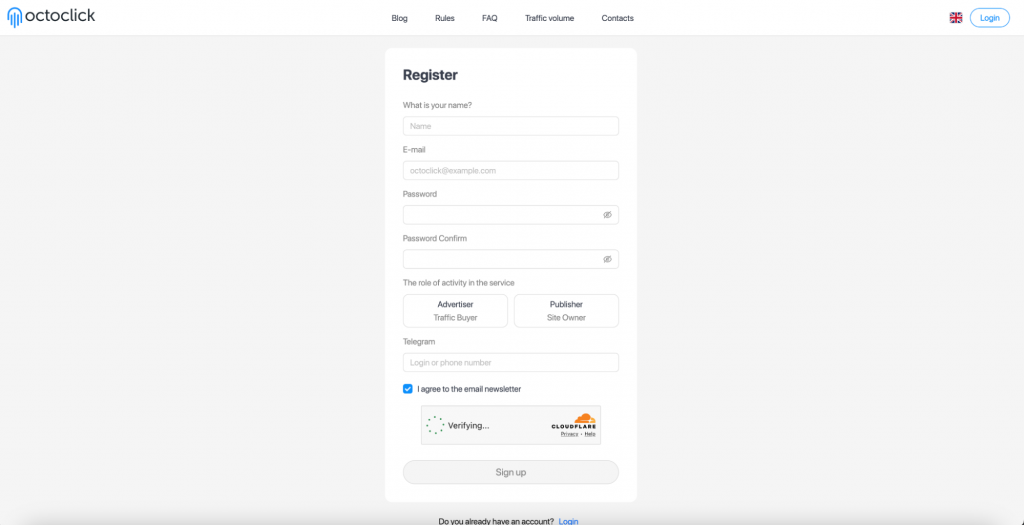
- Go to octoclick.com and sign up as an advertiser.
- Confirm your email.
- Top up your balance. The minimum threshold is $20, but for comfortable testing and gathering sufficient data, we recommend starting from $50.
Registration in 3SNET
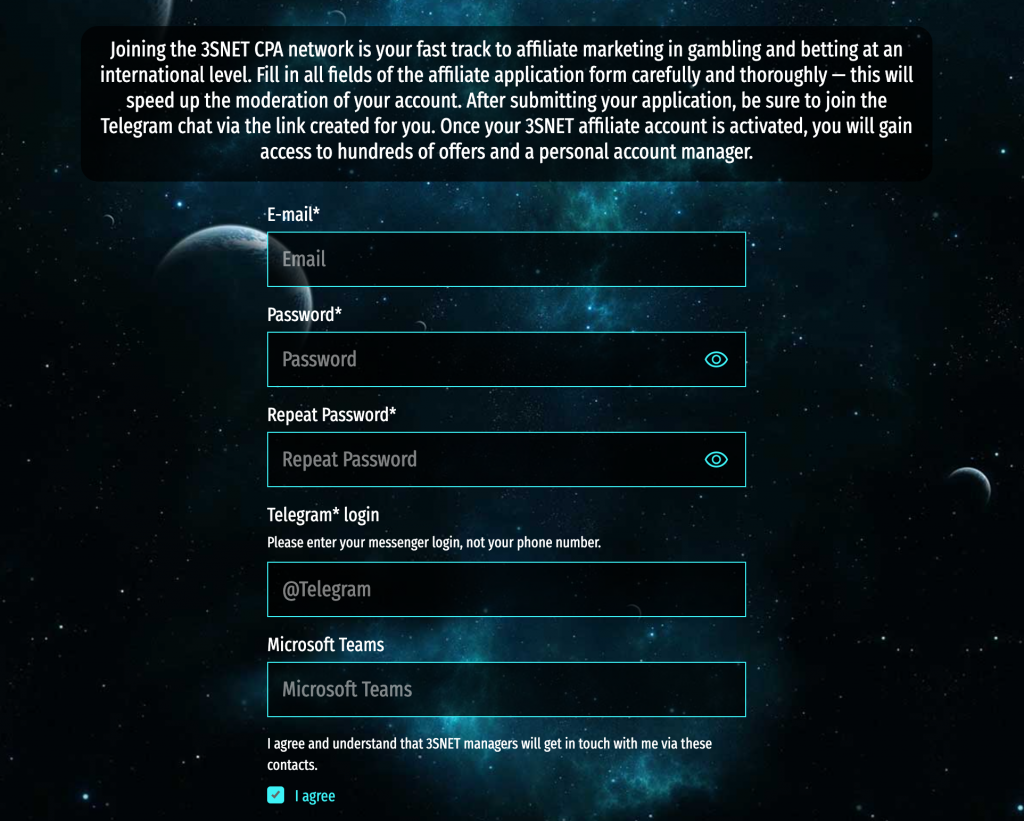
- Go to the link and sign up for the 3snet.co affiliate network.
- Fill out the application form. Specify the traffic sources and verticals you use. This will speed up account approval.
- Once approved, you’ll get access to offers and smartlinks.
- Contact your 3SNET account manager to select the right GEOs and offers for running traffic through OctoClick.
Step 2. Choosing an Offer
OctoClick supports Native, Popunder, In-Page Push, and Video (In-Stream, Out-Stream, Video Popup) formats. In this guide, we focus on Popunder. It delivers the highest volume at the lowest entry cost.
Below are offers from the 3SNET catalog, jointly selected for OctoClick’s top GEOs. Based on current stats, these verticals show strong potential and solid conversion performance.
Tanzania
One of the fastest-growing betting markets in Africa. High audience engagement in sports betting, with local brands converting better than WW offers. Learn more about promoting on the continent in our reviews of gambling in Kenya and South Africa.
Top offers:
- BetPari CPA;
- Melbet CPA;
- BetWinner CPA Africa;
- BetWinner Casino CPA;
- PremierBet RS.
Iraq
A rapidly growing Middle Eastern market with high mobile coverage. Low competition among media buyers makes this GEO attractive for testing.
Top offers:
- Melbet CPA;
- BetWinner Casino CPA;
- Betobet casino CPA;
- Marathon bet RS;
- GGbet RS.
Bangladesh
A stable Tier 3 market with high mobile traffic volume. Offers with registration and deposit bonuses perform well. For a detailed breakdown of the audience and strategies, see our iGaming market overview of Bangladesh.
Top offers:
- Fastpari CPA;
- Dafabet CPA;
- Linebet CPA;
- 1xbet CPA;
- BetWinner Casino CPA.
Egypt
The largest Middle Eastern and North African market by audience volume. Popunder delivers consistent results, especially on mobile. For a detailed overview of the audience and regulations, see our article on betting and gambling in Egypt.
Top offers:
- Fastpari CPA;
- BetPari CPA;
- Linebet CPA;
- Melbet CPA;
- BetWinner Casino CPA.
Uzbekistan
A CIS market with a growing audience and minimal competition. OctoClick is traditionally strong in this region in terms of both traffic volume and quality. For more on the market specifics, see our review of online betting and gambling in Uzbekistan.
Top offers:
- Betjam CPA;
- BetPari CPA;
- Linebet CPA;
- DBbet RS.
Pakistan
A Tier 3 market with high mobile coverage. High competition, but also high volume. A good entry point for testing via Popunder.
Top offers:
- Elon CPA;
- Linebet CPA;
- 1xbet CPA;
- BetWinner CPA;
- 1xbet RS.
Germany
A Tier 1 market with high payouts. Suitable for experienced media buyers with ready‑made localized landing pages. Competition is high, but so is EPC. Learn more about the market in our review of gambling and betting in Germany.
Top offers:
- Sportaza CPA;
- Rolldorado CPA;
- Bilucky CPA;
- NV casino CPA;
- Supraplay CPA.
Netherlands
A regulated market with a solvent audience. It is important to work only with licensed offers for the Dutch market. Learn more about the specifics in our review of online gambling in the Netherlands.
Top offers:
- Intense Casino CPA;
- Fortunica CPA;
- Bilucky CPA;
- CasinoSky CPA;
- Supraplay CPA.
Poland
An active Tier 2 market with high online gambling penetration. Both casino and betting offers perform well. For a detailed breakdown, see our review of gambling and betting in Poland.
Top offers:
- Sportaza CPA;
- Rolldorado CPA;
- NV casino CPA;
- HitNSpin CPA;
- Vulkan Vegas CPA.
Step 3. Setting Up Tracking and Postbacks
Getting a Tracking Link from 3SNET
Get a tracking link from your 3SNET manager that passes key parameters: GEO, device, click_id.
Creating a Campaign in OctoClick
- Go to the campaign creation section. Select the vertical and theme, then set an hourly budget.
- Configure targeting.
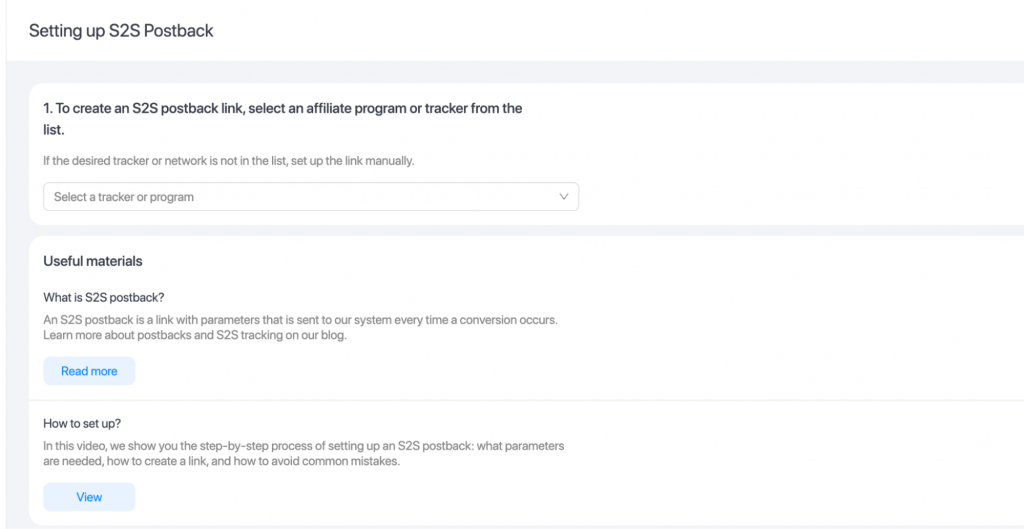
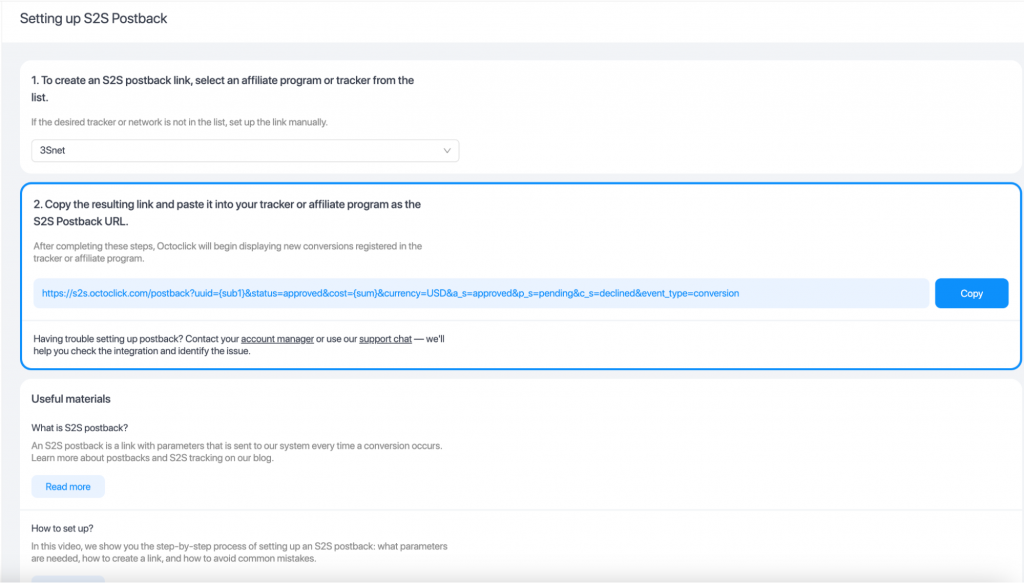
- At the third step, choose the trackinglinks preset and go to the S2S postback settings section. The 3SNET network is already added to the OctoClick template. Select it in the first field.
- Go to the Creatives section and choose the Clickunder format.
Inserting the Link with Macros
In the link field, paste the tracking URL from 3SNET and add the OctoClick macros after the = sign.
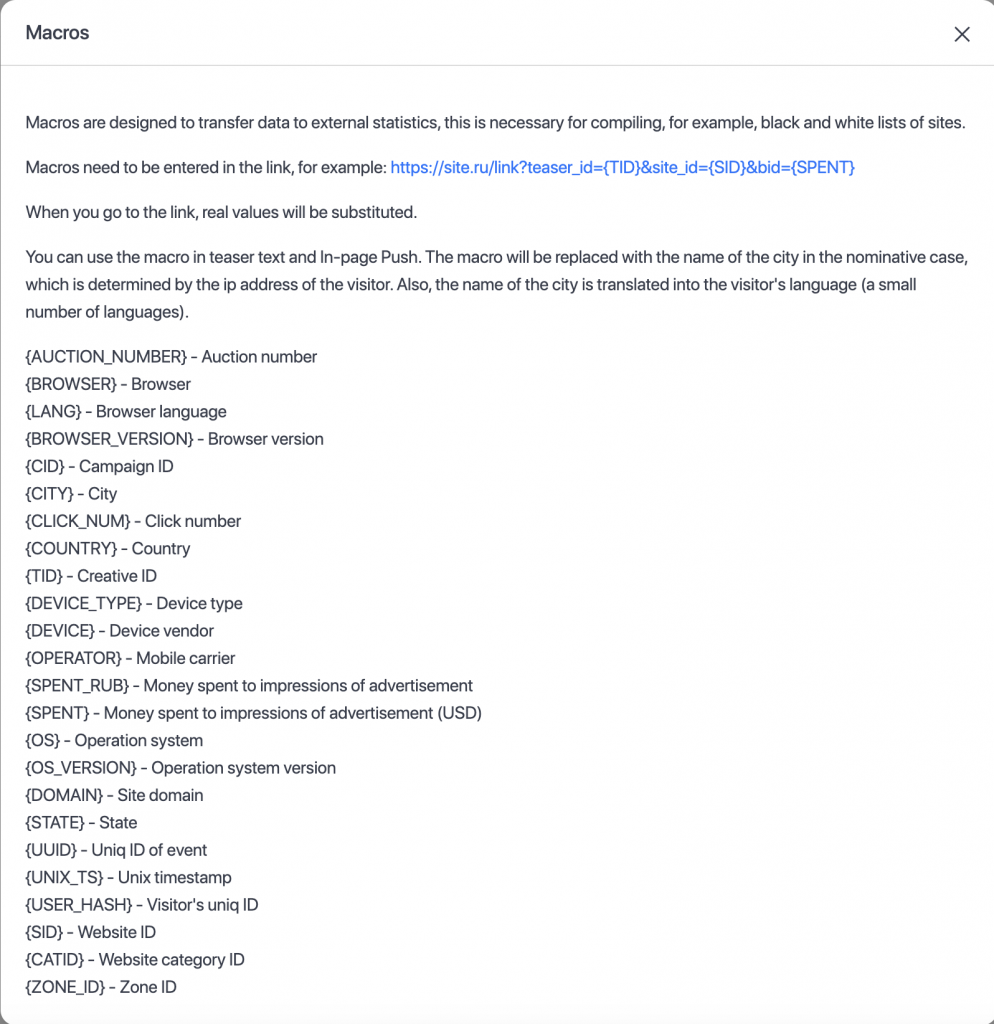
Example of a completed link:
https://your-3snet-link.com/?click_id={UUID}&site={SID}&camp={CID}&country={COUNTRY}
Postback
Set up the S2S Postback at step 3 when creating the campaign. Insert the generated postback link into the postback section in your 3SNET account.
- Need a detailed setup guide? Read: how to set up a postback, how to test a postback through a tracker, and what to do if conversions are not being passed.
Step 4. Setting Up the Creative
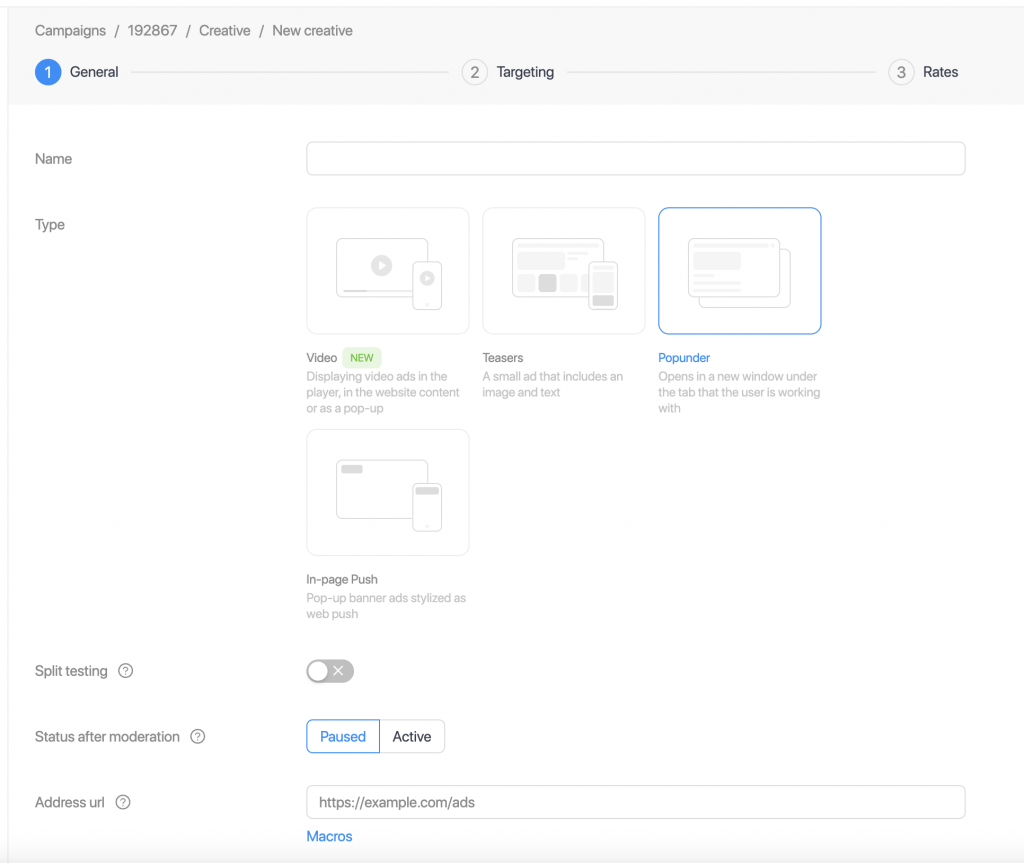
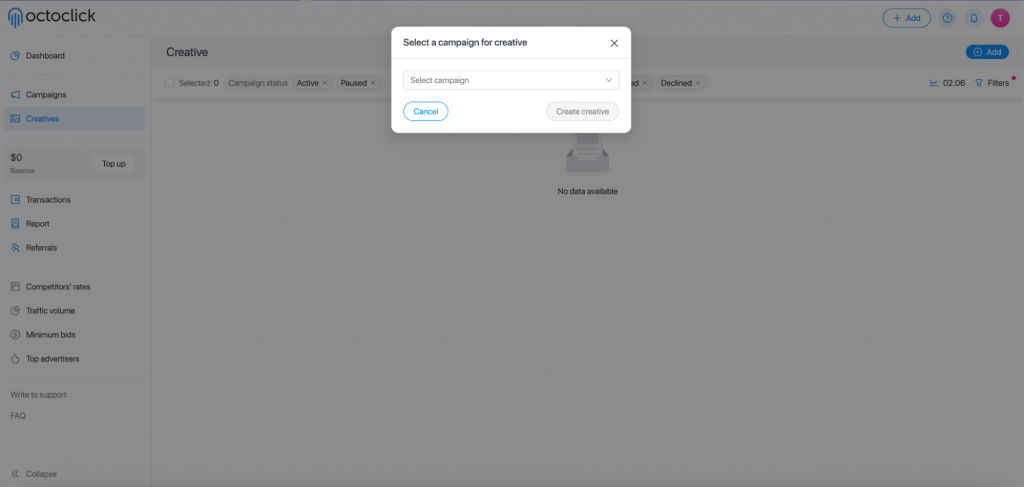
- Go to the Creatives section, add a new creative, and link it to the campaign you have created.
- In the first step, select the creative type: Popunder (Clickunder). Add the link in the Destination URL field.
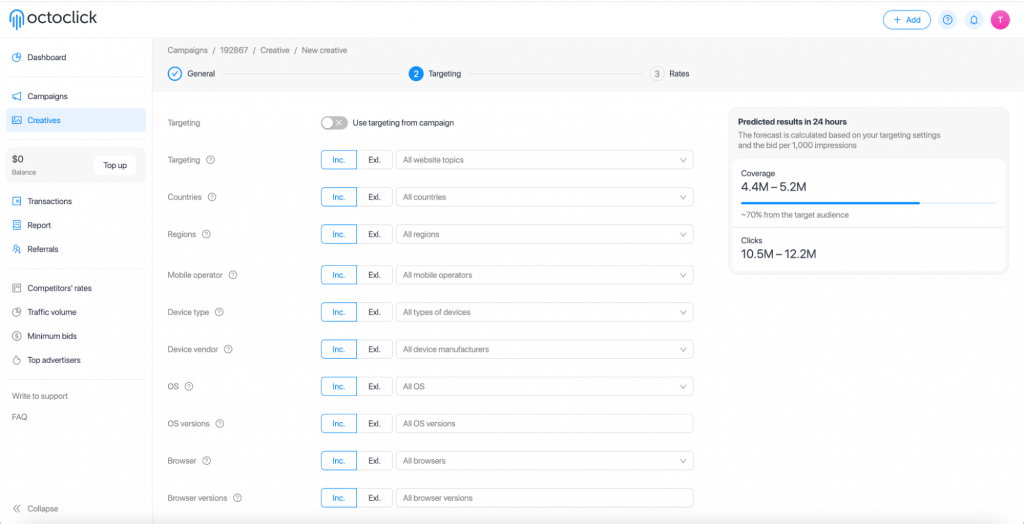
- In the second step, configure targeting for the individual creative or use the campaign-level settings.
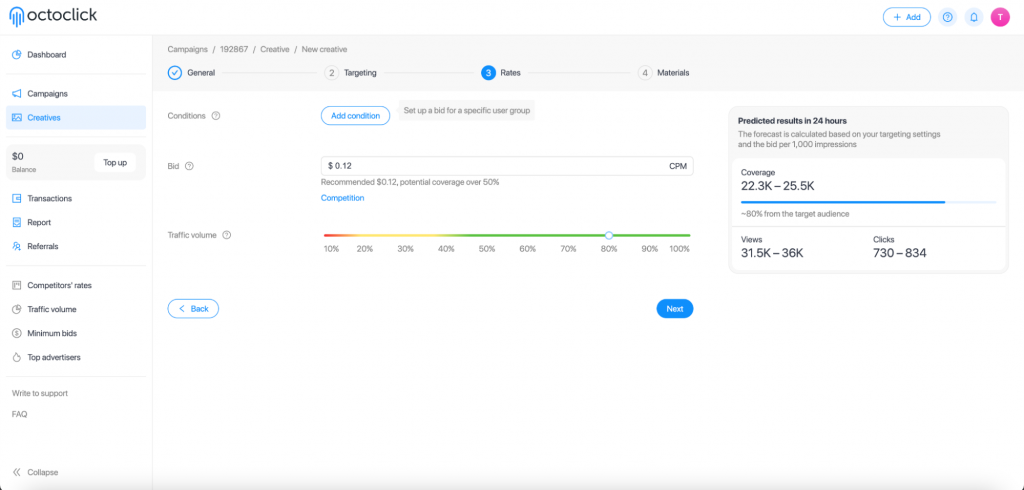
- In the third step, set your bid and, if necessary, conditions for specific user groups. The bid directly affects the volume of traffic you will receive.
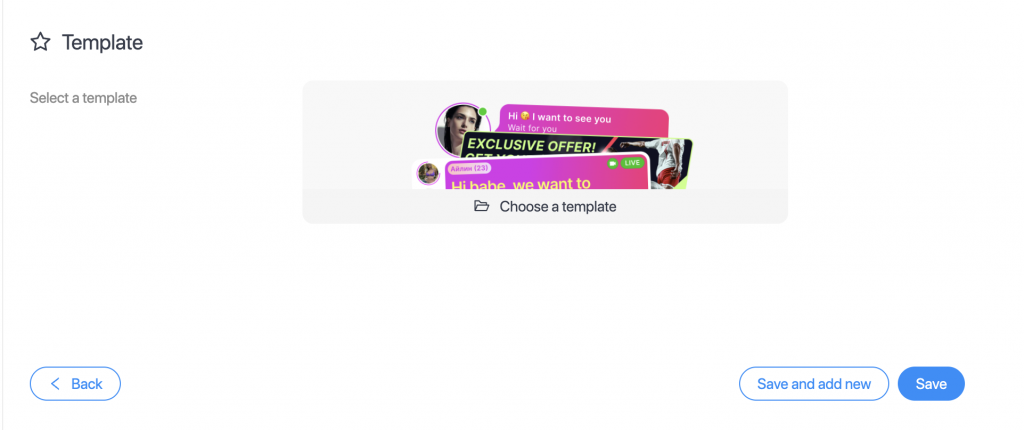
For Native, In-Page Push, and Video formats, a library of customizable creatives is available with ready-made templates for different verticals.
Step 5. Data Analysis and Optimization
After launch, analyze the results in OctoClick through the Report section.
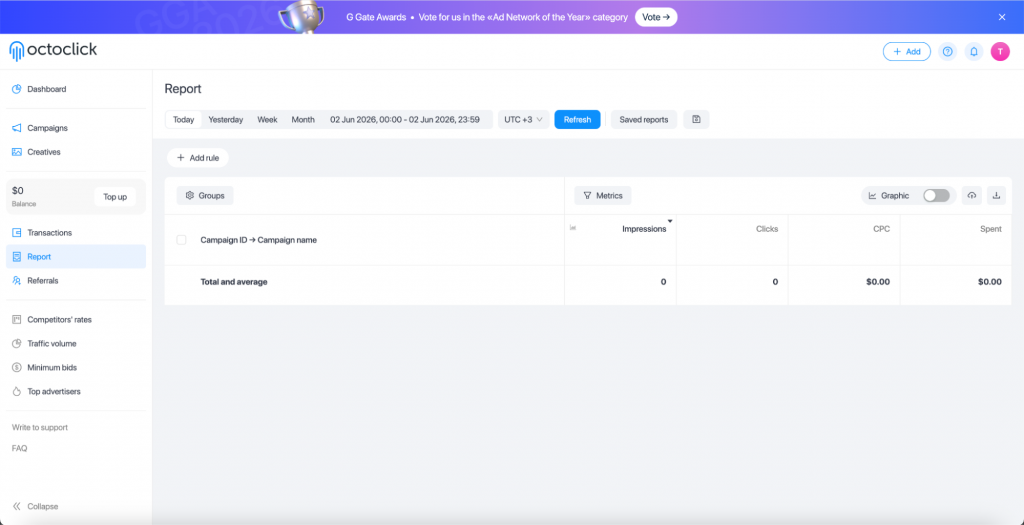
Standard metrics: impressions, clicks, CPC, spend. For deeper analysis, manually expand the set of metrics.
Customize the report to your needs: add filters by zone ID, creative, campaign. Get exactly the data slice you need for optimization.
In 3SNET, track: clicks, conversions (FTD, registrations), EPC, revenue.
Regularly check statistics in both dashboards and turn off low-converting zones. Your dedicated OctoClick account manager will help you understand the functionality, launch campaigns, and suggest ways to improve results.
Start with OctoClick and 3SNET Offers Right Now
The 3SNET + OctoClick combination gives you access to large volumes of high-quality traffic and proven iGaming offers with fast payouts. Browse the catalog of verified affiliate programs and the best 3SNET offers. A minimum entry of $50 allows you to start testing without a large investment.
Sign up, choose a GEO from the list above, set up tracking following the guide. The first results will appear within 2–3 days.
Get started right now: